
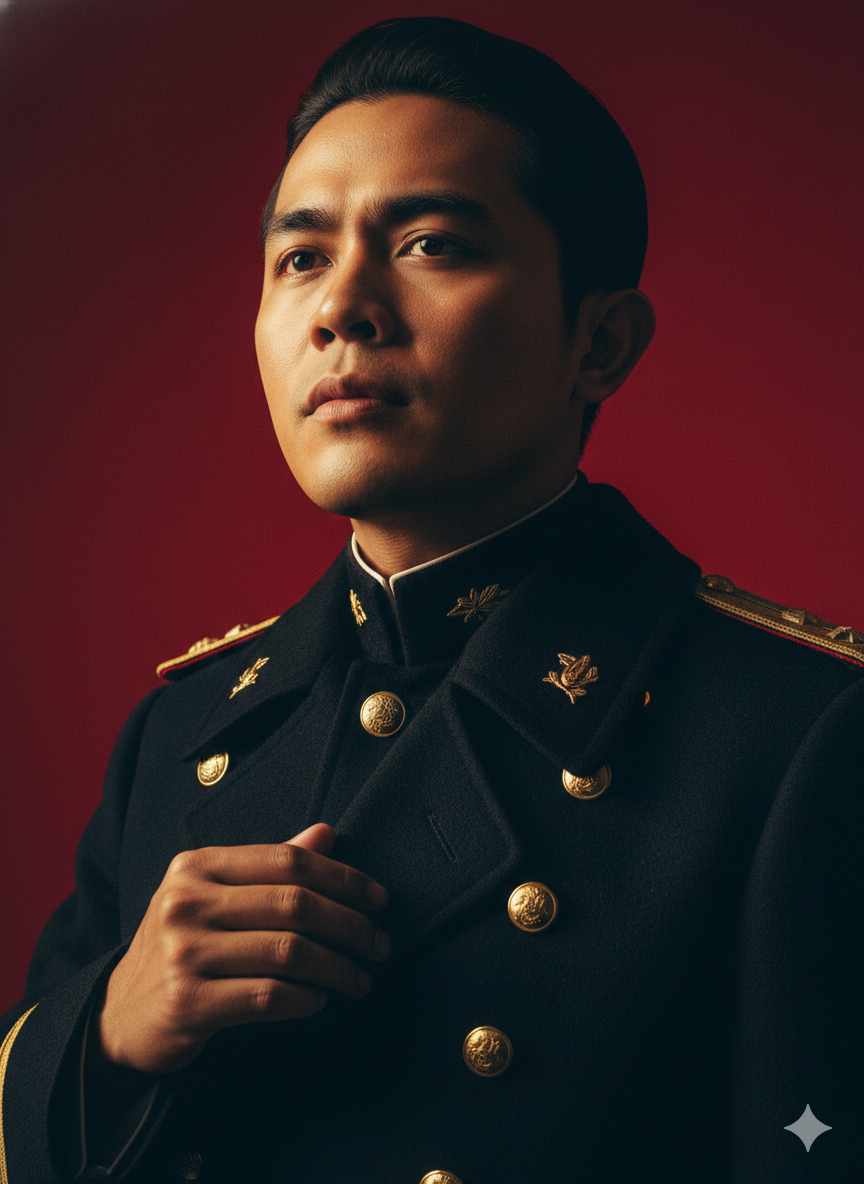
idneeded.com – Di jagat media sosial tengah ramai kembali tren mengubah foto biasa yang kita miliki menjadi foto yang lebih menarik lagi.
Kali ini tengah ramah mengubah foto yang kita miliki menjadi ala ala foto kaisar Hirohito, yaitu kaisar Jepang yang dijadikan model generate AI oleh warganet.
Artificial Intelligence (AI) yang digunakan adalah Gemini AI dari Google, dapat Anda akses melalui browser dan gawai kesayangan Anda.
Prosesnya mudah dalam membuat tren ubah foto menjadi Kaisar Hirohito, namun sebelum ke tata caranya, berikut merupakan prompt yang digunakan untuk mengubah foto Anda menjadi Kaisar Hirohito:
Prompt Kaisar Hirohito
Depict me wearing the costume of Emperor Hirohito from Japanese history. Create his signature pose, characterized by stark cinematic lighting and intense contrast.
Captured with a slightly low, upward-facing angle that dramatizes the subject’s jawline and neck, the composition evokes quiet dominance and sculptural elegance.
The background is a deep, saturated crimson red, creating a bold visual clash with the model’s luminous skin and dark wardrobe. Lighting is tightly directional, casting warm golden highlights on one side of the face while plunging the other into velvety shadow, emphasizing bone structure with almost architectural precision.
The subject’s expression is unreadable and cool-toned-eyes half-lidded, lips relaxed-suggesting detachment or quiet defiance. The model wears a heavy wool or felt overcoat, its texture richly defined against the skin’s smooth, dewy glow. Minimal retouching preserves skin texture and slight imperfections, adding realism.
Editorial tension is created through close cropping, tonal control, and the almost oppressive intimacy of the camera’s proximity. There are no props or accessories; the visual impact is created purely through light, shadow, color saturation, and posture -evoking high fashion, contemporary isolation, and hyper-modern masculinity. Make the face and hairstyle as similar as possible to the one in the photo. Make the costume highly detailed and realistic. Maintain the same hairstyle and color, and use similar colors and textures.
Setelah mengetahui prompt yang digunakan mari kita mulai tata cara mengubah foto biasa menjadi ala Kaisar Hirohito di Gemini AI sebagai berikut:
Tata Cara Mengubah Foto Ala Kaisar Hirohito di Gemini AI
- Masuk ke browser atau aplikasi Gemini Ai
- Tekan tanda + di bawah layar
- Tambahkan gambar yang ingin Anda edit
- Masukan prompt di atas
- Proses akan berlangsung, jika sudah selesai Anda dapat mengunduhnya
- Jika hasil kurang maksimal dengan keinginan Anda, dapat Anda sesuaikan prompt-nya sampai Anda mendapat hasil yang memuaskan.